


This is an honest, unsponsored guide. Like other Take Risks Be Happy articles, it may contain affiliate links that do not affect our editorial judgement. As an Amazon Associate I earn from qualifying purchases.
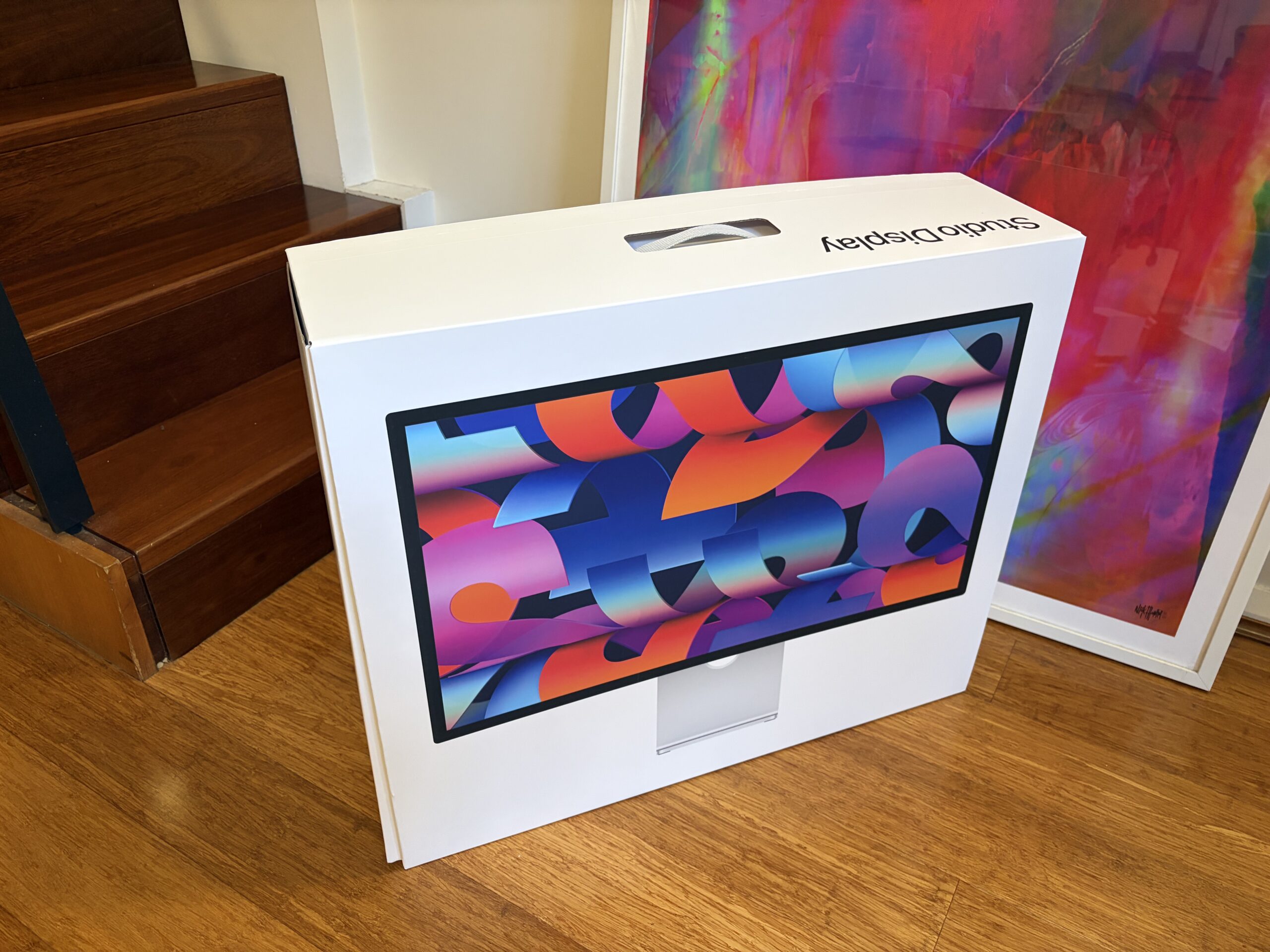
The Apple Studio Display is a pretty simple proposition: an extremely high-quality, minimalist computer monitor designed almost entirely around the assumption that you own a Mac. It’s amazing, with great speakers, a crisp display, and — I believe — a secret camera upgrade that nobody else I’ve seen has talked about yet.
Overall, it’s just what you’d expect from Apple. A very good, pretty pricey, ultra-minimalist piece of technology that is a cut above the competitors.
A quick tip before buying: I’d generally check the price of the Apple Studio Display on Amazon, as it is periodically discounted. I’d also check retailers available through Rakuten. If you’re new to Rakuten, this referral link or code ALEX3954 may get you a $50 cash back bonus after spending $50 on qualifying purchases at participating retailers. I personally use Rakuten and have written about my experience getting the $50 bonus here. Check the current offer and any product exclusions before buying.
If you’re shopping for other technology, check out our Best Amazon Black Friday Tech Deals guide, which covers Apple, Sony, Bose, DJI, Insta360, Kindle and more.
Now, back to the Studio Display.
There are plenty of conventional ways to review it. You can compare the resolution, refresh rate and brightness, complain about the lack of HDMI, and point out that there are monitors with better specifications for less money. And all of that is true.
But with a Studio Display, you aren’t directly shopping for tech specs. You are shopping for an experience.
This is a review of the experience of using one.
The Studio Display is Apple Minimalism Pushed to the Max
The Studio Display just works. You plug it in to your laptop or Mac Studio/Mini (or even your iPhone–more on that later) and you have a beautiful display which feels like a perfect extension of your Mac. Apple has tuned it to look nearly identical to your other Apple screens, so it has a seamless feeling that other monitors don’t necessarily provide. This is one of those things that is totally noticeable but also totally a first world problem. It’s not crazy to save a ton of money and get another monitor that is not as seamless. But, if you plug your Mac into two monitors and one is a studio display and the other isn’t, we’ll, you will notice, and for some, it will be annoying.
Tech Specs:
I’m about to list tech specs, but really, I only care if the overall experience is nice, and I imagine 95% of consumers are this way. This is not an engineering test, it’s something to use. The 2026 Studio Display has a 27-inch 5K Retina screen with a resolution of 5120 by 2880, 600 nits of brightness, P3 wide color and True Tone. It remains 60Hz, which refers to how quickly the screen refreshes. I see gamers talk about FPS and HZ and honestly I don’t care. I have never cared. I’ve never noticed. Trying to notice doesn’t work. I think the debate is dumb. I’m old enough where I remember (barely) going from Genesis to N64, and how big a deal DVDs were. I think this HZ and FPS debate is tech minutiae that distracts from the real issue, which is that this stuff is awesome and just works. Splitting hairs here is something I am not into. But, others disagree, which is fine. If you’re reading this and you’re not a tech bro, you probably won’t care or notice. If you care, more power to you. I’ve tried to notice, and I can’t even if I try.
What I do notice is that the screen looks beautiful. The 5K resolution makes text extremely sharp, photographs look fantastic, and the whole experience of working on a large external display is pretty enjoyable.
But the screen is only part of what you’re buying.
The Studio Display also includes a 12MP Center Stage camera, three microphones, and a six-speaker sound system that’s considerably better than what you’d normally find in a computer monitor. You connect your Mac through a single Thunderbolt 5 cable, which carries video and data while providing up to 96W of charging. The monitor also has additional Thunderbolt and USB-C ports for accessories.
So you don’t need speakers taking up space on your desk. You don’t need a separate webcam or microphone for video calls, or another charger snaking across the desk.
You plug in one cable and almost everything is there.
And that simplicity is really what you’re paying for.
The Speakers Are Surprisingly Good
I expected the Studio Display to have a beautiful screen. What I wasn’t expecting was to be quite so impressed by the speakers.
The 2026 model has four force-canceling woofers and two tweeters, with Apple claiming 30% deeper bass than the original 2022 model. After spending a fairly ridiculous amount of time listening to music through them, though, I think their biggest strength is something else entirely: clarity and separation.
Piano, strings, acoustic guitars and vocals sound genuinely fantastic. Debussy’s Clair de Lune, Sting’s Shape of My Heart, and Fleetwood Mac’s Landslide are all beautifully reproduced. Even J. Cole’s music sounds almost perfectly matched to the system, and listening to Two Six was actually the first time I really noticed the thunderstorm effects at the end of the track.
The limitation is deep bass. Songs like Baby Keem and Kendrick Lamar’s family ties sound good, but you don’t get anything approaching the physical low-end impact of a proper subwoofer.
Still, these might be the best speakers I’ve personally heard built into a monitor, and they’re certainly good enough that I personally wouldn’t buy external speakers.

There is a Secret Webcam Upgrade
The Studio Display’s 12MP Center Stage webcam is also surprisingly good, and having it at the top of a large monitor is much nicer than looking down at a laptop during video calls. The three built-in microphones are perfectly adequate for ordinary Zoom calls, although I’d still use dedicated equipment for serious recording. Tech specs suggest it is the same as the webcam in my M5 MacBook Pro, which is the same as the webcam in the new M6 MacBook Pro. But I highly doubt this is true.
Look at these side by side images, and tell me if you think the M5 MacBook Pro and the Studio Display Cameras are the same. There is just no way this is true. Despite repeatedly washing the MacBook Pro M5 webcam, it looks permanently soft or unwashed, it’s not clear. The Studio Display camera is ultra clear by comparison.

Now, there’s not actually any technical evidence I’ve found that proves this. Both have 12MP Center Stage cameras with broadly similar functionality, and I haven’t seen anything conclusive establishing that Apple uses a better sensor in the Studio Display.
But it just looks better. Way better. Here are some side by side images. The Studio Display’s camera is on the left.
The image seems clearer and more natural, and generally higher quality than what I get from the MacBook Pro. Maybe it’s the processing, because there is no way this is the same image.
All I know is that I consistently prefer the Studio Display webcam, and I’d love for someone to take both cameras apart and figure out whether there’s actually a difference.
Minimalism Has a Price
Of course, Apple sometimes takes minimalism past its logical conclusion.
There’s no HDMI input, which means you can’t simply connect an Apple TV or game console to the monitor. This bothers me less than I expected, since almost everything I watch is already available on my Mac, but it’s an annoying limitation for something this expensive.
And then there’s the stand.
The Studio Display starts at $1,599 in the United States with a tilt-adjustable stand. (but it is sometimes available for $1,399 on Amazon) If you’d also like your expensive computer monitor to perform the apparently advanced technological function of moving up and down, Apple charges $1,999.
If you’re comparing specifications per dollar, the Studio Display probably isn’t going to win.

Will it make you more productive?
The answer is yes. It’s genuinely nice to have a screen that ‘just works’ with your apple devices. There’s a webcam, there’s speakers. It charges my laptop, it acts as a hub. It is the prefect extension of my laptop.
But, you can get most of the way there for much less. So it’s really a judgement call.
Why I Actually Like It So Much
One of the products the Studio Display reminds me of is Sony’s LSPX-S3 glass speaker, a beautiful little object that combines a speaker and a lamp. You can easily find speakers with better specifications for the money, but that misses some of the appeal. You’re partly buying something that’s nice to look at and live with.
The Studio Display works in much the same way. You can buy a cheaper monitor, a better pair of speakers, a separate webcam and a USB hub. You might even end up with a technically better setup for the same price. But then you’ve bought four different products, and you’ve got a collection of cables running across your desk.
With the Studio Display, you put one beautifully made piece of aluminum on your desk, connect your Mac, and you’re basically finished.
Is the Apple Studio Display Worth It?
If you’re shopping entirely by specifications per dollar, probably not. At $1,599, it’s an expensive 27-inch monitor, and Apple will literally charge you another $400 to make it go up and down.
But that isn’t really what it’s selling.
You get a beautiful 5K screen, an excellent webcam, surprisingly good speakers, laptop charging and useful connectivity in one extremely polished product. For a Mac user who wants a great desktop setup without turning the desk itself into a technology project, I think there’s a lot to like.
My verdict: The Apple Studio Display is expensive, and you can find better specifications for less money. But as a complete product, particularly for someone who values simplicity and design, it’s excellent.
It is, essentially, minimalist luxury.
Apple Studio Display FAQs
What’s the Cheapest Way to Buy an Apple Studio Display?
First, save yourself $400 by buying the standard stand instead of the height-adjustable version. If you need to raise the monitor, use some books. That’s what I do. Alternatively, if you already own a compatible VESA monitor arm, Apple sells a VESA version for the same price as the standard stand.
You can also check Apple’s refurbished store, Amazon’s refurbished listings, or use an education discount if you’re eligible. In the US, Apple’s education price starts at $1,499 rather than $1,599.
But perhaps the best deal is buying a used 2022 Studio Display. Assuming it’s in good condition, the screen itself is essentially the same as the 2026 model. You lose some improvements to the speakers, webcam and connectivity, but if all you really care about is the 5K screen, it’s an extremely sensible way to save money.
Just check for scratches, dead pixels, and other wear before buying.
What’s Different Between the 2022 and 2026 Studio Display?
The actual display is almost identical: 27 inches, 5K resolution, 600 nits and 60Hz. The 2026 model improves the webcam, speakers and connectivity, including Thunderbolt 5.
If you already own the 2022 version, I wouldn’t rush to upgrade. But if you’re buying new today, the 2026 model is better for the price unless the older version is substantially discounted. If you care deeply about the speakers, the 2026 ones are better.
Is the Studio Display XDR Worth the Extra Money?
For most people, probably not.
The Studio Display XDR has a much better screen, with mini-LED backlighting, 120Hz refresh, substantially improved contrast and up to 2,000 nits of peak HDR brightness. But it also starts at $3,299, compared with $1,599 for the regular version.
If you’re doing professional HDR video editing or really care about 120Hz and better contrast, the XDR makes sense. For ordinary writing, productivity, photography and everyday Mac use, I think the regular Studio Display is way better for the price.

Leave a Reply